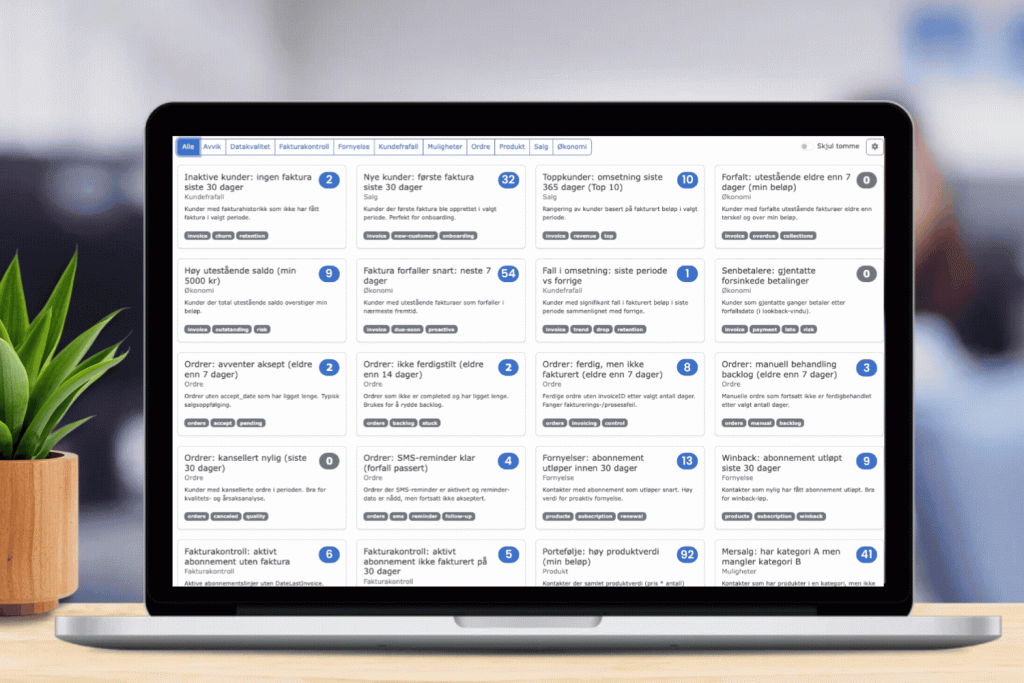
Gain complete control over customers, products, orders, and invoices with flexible sorting and segmentation in Nextcom. With an integration to Tripletex or other accounting systems, you quickly get insights into risks, opportunities, discrepancies, follow-up needs, and growth potential — all gathered in a single overview.
Get a complete overview of products, orders, invoices, and customers
For many businesses, keeping track quickly becomes a challenge as the number of customers, products, orders, and invoices grows. That is why Nextcom has developed a flexible sorting and segmentation feature—allowing you to easily filter out exactly what you want to follow up on.
This feature is available to anyone with an integration to Tripletex or other financial systems supported by Nextcom.
Better insight and more proactive decisions
When Nextcom is connected to your accounting system, data is automatically retrieved and can be used for dynamic segmentation. The feature provides a structured overview of risks, opportunities, discrepancies, and growth potential, tailored to your specific business needs.
This ensures better financial control, faster customer follow-up, improved data quality, and increased opportunities for upselling—all while reducing manual labor.
Nextcom supports multiple languages. The example shown is in Norwegian.
One overview – many possibilities
I Instead of searching through lists and reports, you can set up smart views that automatically show, for example:
Customers with overdue invoices
Incomplete orders
Revenue drops per customer
Invoicing discrepancies
Customers who have products in one category, but not another
Cancellation rate per customer
You get a unified overview that makes it easier to prioritize correctly, follow up in time, and act on what is actually happening in your business.
Tailored to your workflow
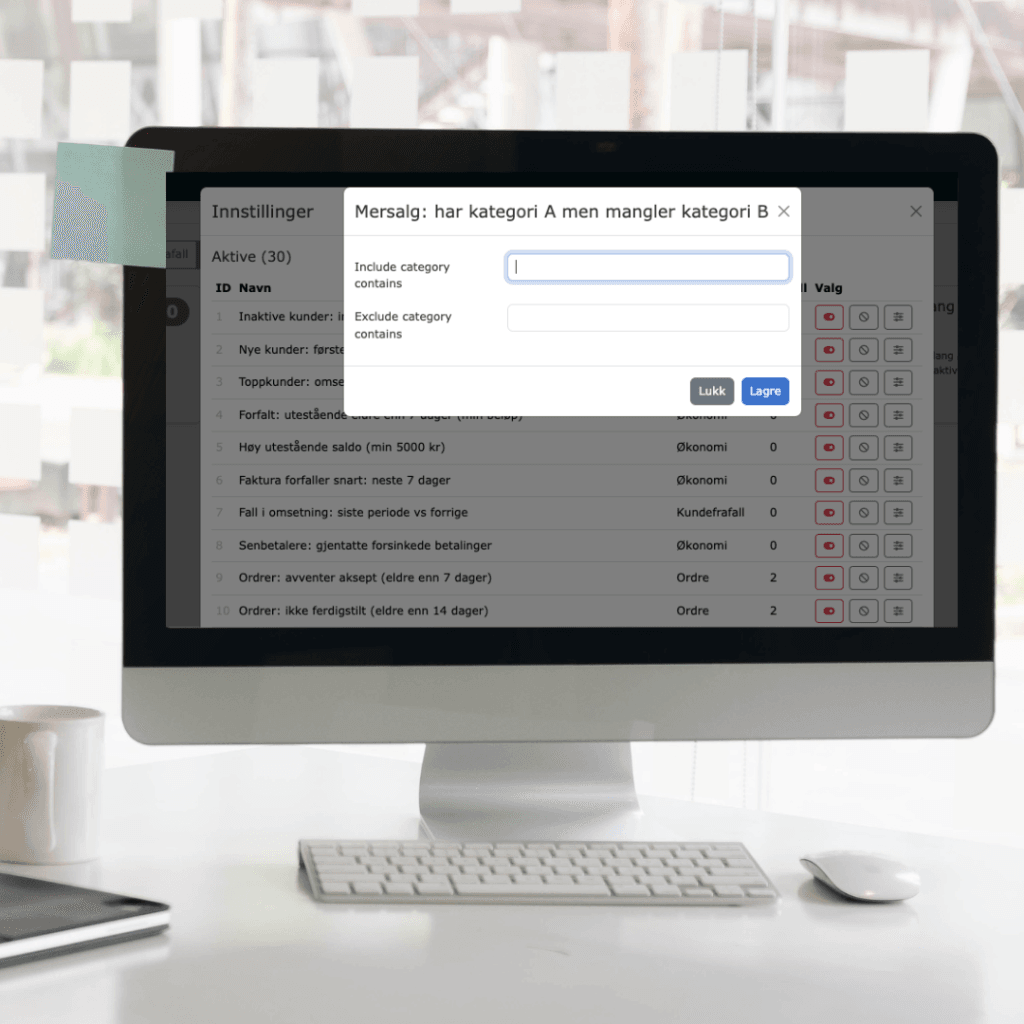
Every business works differently, which is why segments can be customized with their own criteria and threshold values.
Among other things, you can filter by:
Dates and periods
Invoice amounts
Products and product categories
Subscription types
Order status
Customer groups
Payment history
Activity and revenue
The result is a flexible overview where you can sort, filter, and segment data from customers, products, orders, and invoices—allowing you to act quickly based on up-to-date insights.
Maximum value from existing data
When real-time data can be sorted this way, it becomes easier to act fast and work more purposefully. Nextcom gives you the tools to create better follow-ups, smarter tracking, and more value from your existing customer data.
Want to see how it works?
Nextcom can help you set up customized segments and dashboards based on your integrations and workflow.
Get in touch with us for a demonstration of how this feature can be used alongside Tripletex and other integrated accounting systems.