
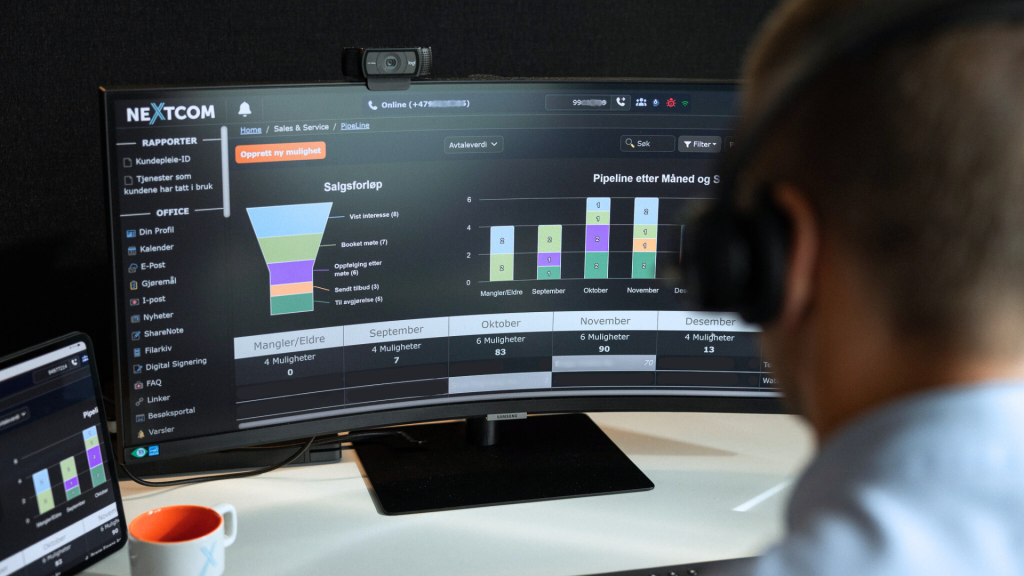
We are rolling out new features in the pipeline
As a sales tool, our pipeline feature gives your company a fantastic overview and control over all sales cases, projects, and delivery processes. Nextcom has now optimized its pipeline module by developing new features designed to improve and automate your direct communication with customers, as well as the workflow and collaboration when your employees work on various sales and customer projects.
Automated processes
What makes our pipeline module unique is how communication with the customer throughout the sales process is automated. We’ve developed a new feature that allows you to create action buttons at each step of the various processes. These provide you with automated workflows for modules and features within the Nextcom system, integration with external systems, and the sending and receiving of text messages and emails.
At every stage of the pipeline, actions can be triggered based on custom templates that send emails and text messages, enable direct integration with other systems such as SharePoint, facilitate contracts via BankID, etc.
Simple and seamless processes across departments
The back office or delivery team can automatically receive a customer case after the sales representative has signed the contract with the customer. By having a direct link to, for example, delivery processes and projects, our pipeline is designed to make things easier and more efficient across multiple areas of the organization. This type of “cross-linking” allows you to move a sales case or project back and forth between different processes. It is possible to categorize documents into separate file archives, where both the customer and the Nextcom user can upload important documentation directly to a sales case or project. The tool can also be used for project management in conjunction with SharePoint, among other platforms.
Example
Once a sale is marked as closed as a win in the pipeline, the customer can be automatically moved on to, for example, the delivery process. If the case is missing information, it can be sent back with an automatic follow-up to the salesperson, and the case’s status changes. Once the necessary information is in place, the case is automatically sent back to the back office so they can continue until the delivery is completed.
The ability to work across departments and through various stages and processes makes it very flexible to make changes and improvements as sales and project work progresses. This ensures the quality of the process and creates better workflow and collaboration within the organization.